
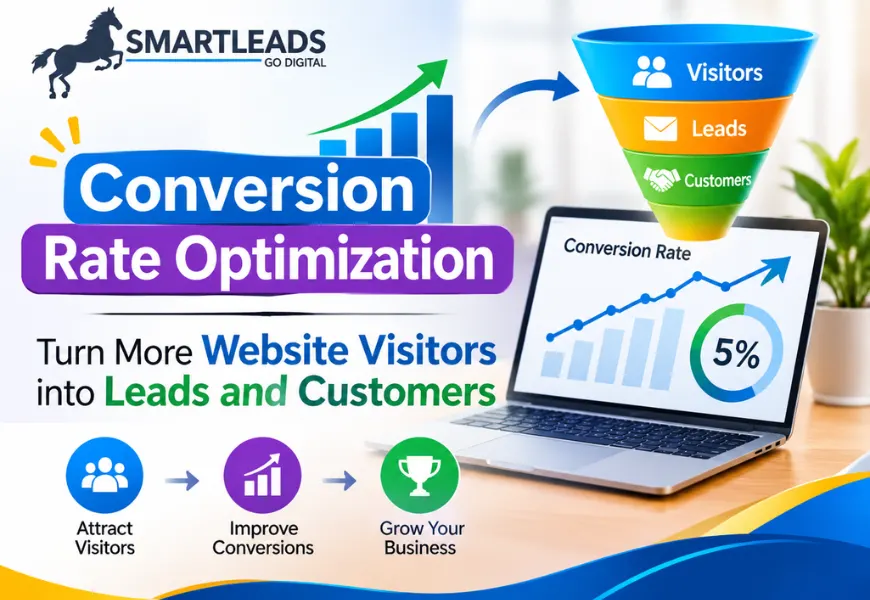
Conversion Rate Optimization (CRO) is the process of improving a website or landing page to encourage more visitors to take meaningful actions. These actions may include submitting an enquiry form, booking a consultation, requesting a quote, signing up for a newsletter or making a purchase.
Many businesses invest in SEO, social media and paid advertising to attract website traffic. However, high traffic does not always translate into leads or sales. If visitors cannot find the information they need, struggle to navigate the website or do not understand the next step, they may leave without converting.
Conversion Rate Optimization helps businesses identify these problems and improve the visitor experience. Instead of spending more money to attract additional traffic, businesses can focus on getting better results from the visitors they already have.
1. Understand Your Website Conversion Goals
The first step in Conversion Rate Optimization is defining what a successful website visit means for your business.
Different businesses have different conversion goals. For example:
- A service business may want visitors to submit enquiry forms.
- An e-commerce store may focus on completed purchases.
- A consulting company may aim to generate consultation bookings.
- A B2B business may want visitors to request product demonstrations.
Set clear goals before making website changes. Tracking the right actions helps you understand whether your optimization efforts are contributing to business growth.
2. Analyse Visitor Behaviour
Understanding how visitors interact with your website helps identify why they are not converting.
Use tools such as Google Analytics 4, Microsoft Clarity or other suitable analytics and behaviour tools to examine visitor activity.
Pay attention to:
- Pages with high exit or abandonment rates.
- Landing pages receiving traffic but generating few enquiries.
- Buttons and links that visitors interact with.
- Form completion and abandonment patterns.
- Differences in mobile and desktop behaviour.
Heatmaps and session recordings can also reveal navigation problems, confusing layouts and content visitors overlook.
Use these insights to identify specific issues instead of redesigning the entire website based on assumptions.
3. Improve Website Design and Navigation
A website should make it easy for visitors to understand your business and find relevant information.
A confusing layout, crowded pages or complicated navigation can discourage potential customers.
Improve the user experience by:
- Keeping menus simple and organised.
- Using clear headings and readable fonts.
- Making important information easy to find.
- Maintaining consistent design across pages.
- Highlighting important services and contact options.
Your website should guide visitors naturally from discovering your business to taking the next step. A clean, professional design also helps establish credibility.
4. Create Strong Calls to Action (CTAs)
A call to action tells visitors what to do next. Without clear CTAs, people may explore your website but leave without contacting your business.
Use specific, action-oriented phrases such as:
- Request a Free Consultation
- Get a Quote
- Book an Appointment
- Contact Our Team
- Start Your Project
Place CTAs where they make sense within the visitor journey, such as near service descriptions, pricing information and relevant page sections.
Make buttons visually noticeable without overwhelming the page. The wording should also match the action visitors can actually complete.
5. Optimise Landing Pages for Conversions
A landing page should focus on a specific audience, service or campaign objective.
For example, businesses running Google Ads for SEO services should direct visitors to a relevant SEO landing page rather than a general homepage.
An effective landing page includes:
- Relevant headline: Clearly explain the service or offer.
- Customer benefits: Show how your solution addresses a specific problem.
- Trust signals: Include genuine reviews, testimonials and relevant experience.
- Clear CTA: Make the next step easy to understand.
- Simple enquiry form: Ask only for information needed to respond to the prospect.
Ensure that the landing page delivers what the advertisement or search result promises. Consistency between the visitor’s expectations and page content can improve the likelihood of conversion.
6. Make Your Website Mobile-Friendly
A large share of website visits comes from mobile devices. If a website is difficult to use on a smartphone, businesses may lose potential enquiries and sales.
Check that:
- Pages adjust properly to different screen sizes.
- Text is readable without zooming.
- Buttons are easy to tap.
- Forms are simple to complete.
- Important contact details are accessible.
- Pages load efficiently on mobile connections.
Test important pages on different devices and browsers. A smooth mobile experience helps visitors complete actions without unnecessary difficulty.
7. Improve Website Speed and Performance
Slow-loading pages can interrupt the visitor experience and increase the likelihood that users leave before taking action.
Improve performance by compressing images, reducing unnecessary scripts, using efficient hosting and enabling browser caching where appropriate.
Google PageSpeed Insights can help identify performance issues and provide recommendations for improvement.
Pay attention to Core Web Vitals, which measure loading performance, responsiveness and visual stability. Faster, more stable pages make it easier for visitors to interact with your website.
8. Build Trust with Useful Content and Social Proof
Visitors are more likely to consider a business when they understand its services and have reasons to trust it.
Include useful information that answers common customer questions, explains your process and clarifies what makes your business relevant.
Trust-building elements may include:
- Genuine customer testimonials.
- Verified reviews and ratings.
- Relevant case studies.
- Clear service descriptions.
- Business contact information.
- Transparent pricing or quotation details, where appropriate.
Avoid fake reviews, unsupported claims and exaggerated guarantees. Authentic information creates stronger credibility and helps visitors make informed decisions.
9. Use A/B Testing to Improve Results
A/B testing compares two versions of a website element to understand which performs better.
Businesses can test:
- Different page headlines.
- CTA button wording.
- Button placement.
- Landing page layouts.
- Form length.
- Images and supporting content.
For example, compare “Contact Us” with “Request a Consultation” to see which CTA generates more completed enquiries.
Test one meaningful change at a time where possible. Ensure that each version receives enough traffic to produce useful results before deciding which performs better.
10. Measure and Continuously Optimise Conversion Performance
Conversion Rate Optimization is an ongoing process, not a one-time website improvement.
A basic conversion rate formula is:
Conversion Rate = (Number of Conversions ÷ Total Visitors) × 100
For example, if a website receives 2,000 visitors and generates 60 enquiries, its conversion rate is 3%.
Track important metrics such as conversion rate, form submissions, qualified leads, cost per lead and completed purchases. Also review lead quality to understand whether website improvements are generating valuable business opportunities.
Use the results to identify new opportunities, test improvements and refine your website over time.
FAQs
1. What is Conversion Rate Optimization?
Conversion Rate Optimization (CRO) is the process of improving a website or landing page to increase the percentage of visitors who complete a desired action, such as submitting a form, booking a consultation or making a purchase.
2. Why is Conversion Rate Optimization important for businesses?
CRO helps businesses generate more leads or sales from existing website traffic. It can improve the user experience, reduce friction in the customer journey and make digital marketing investments more effective.
3. How do you calculate website conversion rate?
Divide the number of conversions by the total number of visitors and multiply the result by 100. For example, 50 conversions from 1,000 visitors represent a 5% conversion rate. The calculation should use a clearly defined conversion and consistent measurement method.
4. Which tools are useful for Conversion Rate Optimization?
Google Analytics 4 helps measure website performance and conversions. Microsoft Clarity provides heatmaps and session recordings. Google PageSpeed Insights helps identify performance issues, while A/B testing tools can compare different page experiences.
5. How long does Conversion Rate Optimization take to show results?
The timeline depends on website traffic, the number of changes tested, conversion volume and business objectives. Some usability improvements may produce early changes, while reliable A/B testing and long-term optimization require sufficient data and ongoing evaluation.
Final Thoughts
Conversion Rate Optimization helps businesses turn website traffic into meaningful business opportunities. Attracting visitors is important, but providing a clear, trustworthy and user-friendly experience is what encourages them to take action.
By analysing visitor behaviour, improving landing pages, strengthening calls to action, optimising mobile performance and testing different website elements, businesses can improve their chances of generating more qualified leads and customers.
Smart Leads Digital helps businesses strengthen their online presence through SEO, paid advertising, website optimization and data-driven digital marketing strategies. A well-optimised website can make every marketing effort more valuable by helping more visitors become genuine business enquiries.